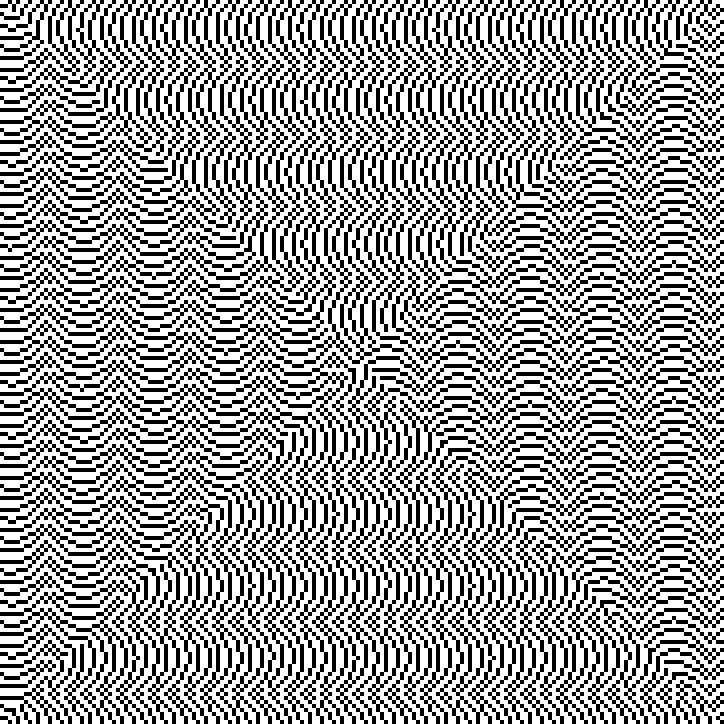
To draw this figure, I placed the Fibonacci sequence into the spiral in the same way that natural numbers are placed into the Ulam spiral. I labeled the individual numbers in this spiral according to the following rule: 0 = black square, 1 = white square (this process is illustrated in the animation below). To streamline this process, I used the JavaScript scripting language.
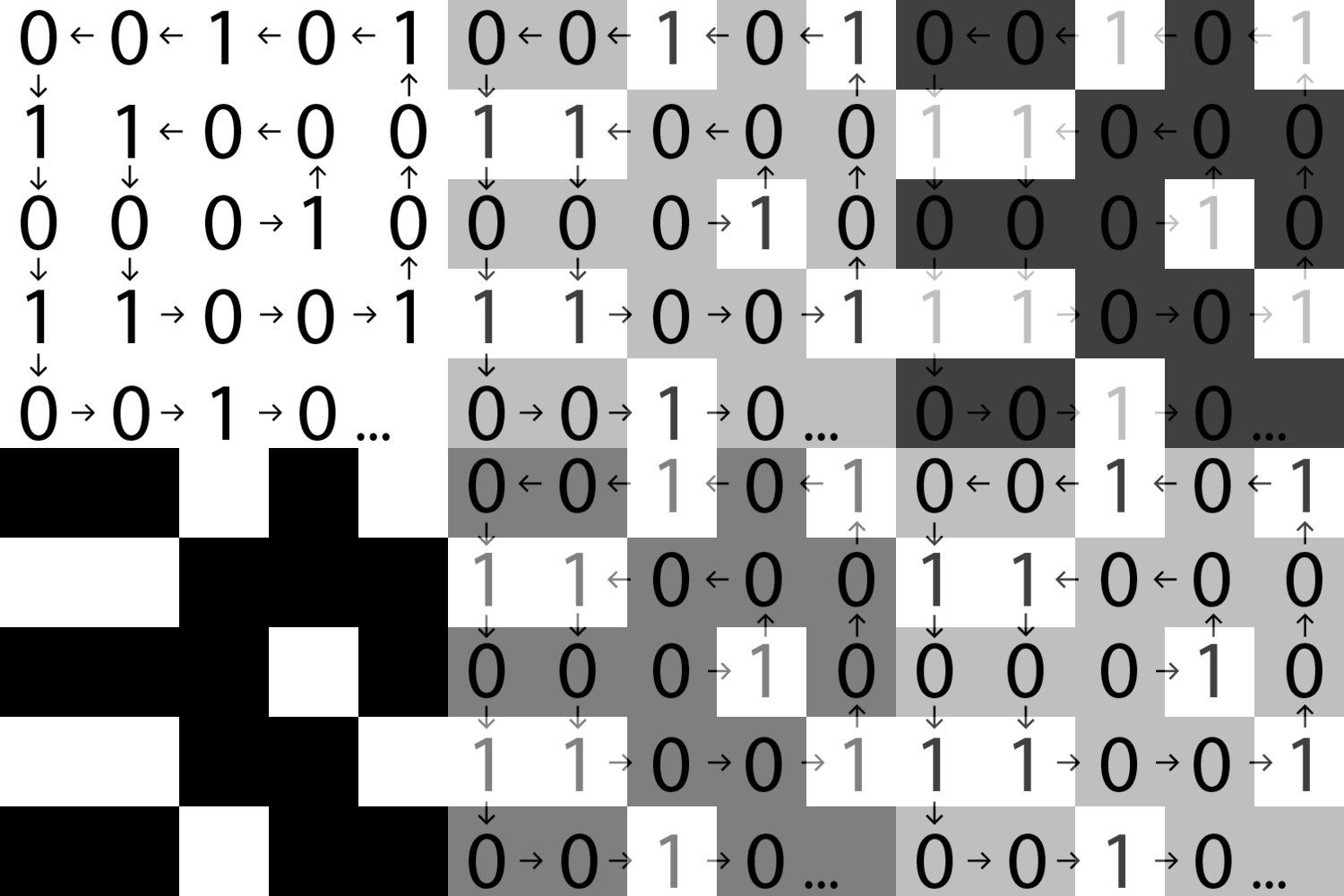
What is a Fibonacci word?
A Fibonacci word is a specific sequence of binary digits (or, more generally, any two symbols). We obtain it in a similar way to the Fibonacci sequence, except that instead of addition, we use word concatenation. The first two terms are defined: S0 = 0, S1 = 01. The next term, formed by concatenation (i.e., adding the penultimate term to the last term), will be S2 = 010. The sequence of the first few digits of the Fibonacci words would therefore look like this: 0100101001001010010100100101001001…
What is the Ulam spiral?
The Ulam spiral
, also known as the prime number spiral, is a diagram created by arranging natural numbers in a spiral and highlighting the prime numbers. It was discovered by mathematician Stanisław Ulam in 1963. Ulam wrote the natural numbers into a rectangular grid, placing the number 1 in the center and the other numbers spiraling outward.
Project source code
<!DOCTYPE html>
<html>
<head>
  <meta charset="UTF-8">
  <title>Spirála Fibonacciho slova</title>

  <meta name="viewport" content="width=device-width, initial-scale=1">

  <style>
    #container {
      text-align: center;
      position: absolute;
      left: 50%;
      top: 50%;
      padding: 20px;
      transform: translate(-50%, -50%);
      width: 600px;
      height: 600px;
      background-color: white;
    }

    #point {
      color: black;
      background-color: white;
      border:none;
      position: absolute;
      font-size:11px;
      text-align:center;
      margin: 0;
      padding: 10px;
      width:20px;
      height:20px;
    }

    #point2 {
      color: white;
      background-color: black;
      position: absolute;
      font-size:11px;
      text-align:center;
      border:none;
      margin: 0;
      padding: 10px;
      width:20px;
      height:20px;
    }
  </style>
</head>
<body>
  <main id='container'>
  </main>

  <script>
    /* FUNKCE SPIRALY */
    function spiral(n) {
      if (n === 0) return [0, 0, r];
      --n;

      var r = Math.floor((Math.sqrt(n + 1) - 1) / 2) + 1;
      var p = (8 * r * (r - 1)) / 2;
      var en = r * 2;
      var a = (1 + n - p) % (r * 8);
      var pos = [0, 0, r];

      switch (Math.floor(a / (r * 2))) {
        case 0:
          {
            pos[0] = a - r;
            pos[1] = -r;
          }
          break;
        case 1:
          {
            pos[0] = r;
            pos[1] = (a % en) - r;
          }
          break;
        case 2:
          {
            pos[0] = r - (a % en);
            pos[1] = r;
          }
          break;
        case 3:
          {
            pos[0] = -r;
            pos[1] = r - (a % en);
          }
          break;
      }

      return pos;
    }

    /* FIBONACCIHO SLOVA */
    container = document.getElementById("container");
    var var0 = "<div id='point'></div>";
    var var1 = "<div id='point2'></div>";
    var var3;
    var text = "";
    var i;

    /* ITERACE NEFUNGUJE PO JEDNOM CTVERECKU ALE PO KAZDEM SOUCTU JEDNICEK A NUL */
    for (var i = 0; i < 22; i++) {
      var3 = var0 + var1;
      var1 = var0;
      var0 = var3;

      text += var3;
      container.innerHTML = text;
    }

    /* VOLANI FUNKCE SPIRALY */
    var cislo = document.getElementById('container').getElementsByTagName("div");

    for(var i=0; i<cislo.length; i++) {
      cislo[i].setAttribute("class", "jedno");

      var pos = spiral(i);

      cislo[i].style.right = 300 + 40 * pos[0] + "px";
      cislo[i].style.top = 300 + 40 * pos[1] + "px";
    }
  </script>
</body>
</html>
Concept by: Vojta Maur
Code by: Pavel Burda